Linda More 0:07
Kia ora. Thank you for joining us today to learn about eInvoicing and how it can help you reduce admin, improve accuracy and security and improve your cash flow. My name's Linda More and I'm part of the eInvoicing team here at the Ministry of Business. Innovation and employment. Also joining me today is Andrew Cooke. I do have to say it is a little bit odd. We usually have these webinars with a live audience, but we will pretend you're there listening to us and taking every word in.
So while the session is about getting you up to speed and what eInvoicing is and what it isn't about, the benefits for you and your business, it's also a very practical session. So for those that use Xero or MYOB, it might be handy for you to be logged into your Xero or MYOB account during the session so that you can follow some of the processes and things for getting registered, sending and receiving invoices.
Andrew Cooke 2:26
Thank you very much for that, Linda. I like to look at it in the current state and invoices constructed usually by humans, sometimes by machine. And it goes through a channel which is usually e-mail via PDF or sometimes snail mail when it's received by the buyer and then it's deconstructed to be entered into the system.
And that is inherently inefficient. This is one network for all businesses. For example, large suppliers often use their own invoice solutions, and that puts a burden on SMEs, having to log into a portal to send their invoices, eInvoicing levels, the playing field.
So current invoice processes are efficient. Delivery errors are a big one by post and e-mail. And do you know that research suggests that roughly 30% of emails are not delivered successfully?
Other invoice processes which inefficient around processing errors. Both system and manual payment delays due to manual processes. Quite a big one. Lack of security was looking there's a big increase in invoice scams and fraud, lost invoices and chasing up payment progress. All of this changes with the eInvoicing.
So when you're talking to your trading partners, you may have to dispel them of this myth. You ask them to send you eInvoices instead of PDF.
We'll move on to the next slide, please. And I just want talk a little bit more about the benefits of the eInvoicing. And there are some great benefits for you because eInvoices go from 1 system to another, they never get lost or stuck in someone's inbox. eInvoices are always in your accounts and system with no manual data entry or copying and pasting. There's complete information and that makes coding easier. Your accountant or bookkeeper will love you when it comes to the end of year financial preparations and all of this means a smoother process for your customer receiving your eInvoice process.
Speeding up the process, which means they're probably able to pay you faster, which helps improve your cash flow.
Now, just a few more benefits specific for SMEs and when you receive eInvoices into your system, it reduces the administration burden. There's no more manual entry of invoice data - it means you get time back in your day.
Many of you may not have experienced invoice fraud and you think it won't happen to you, but it does happen. Unfortunately, cybercrime is a growth industry. With eInvoicing the risk of intercepted emails and PDF invoices been tampered with reduces considerably because an eInvoice can't be intercepted or tampered with.
We are going to see a video from a real small business who has experienced eInvoicing for themselves over to you Linda.
Brenda Radcliffe 5:29
Normally we have coaching clients and we invoiced them for a package of coaching, generate an invoice on Xero, send it to them as a PDF and it goes off to their finance department and we wait until they run all their invoices it. Once. It can be weeks. So as a small business you can go ohh, but what eInvoicing does means that we just get given an NZ being number and we put the number on our invoice and Xero and then it just goes.
Don't match gets approved really quickly and we can get paid within days with eInvoicing is just so simple. Yeah, our business admin has got a lot faster because I have to do it. So I'm grateful how it's changed is that once I get there NZBN number of the organisation I'm sending it to there can be the trickiest, but then we're off. Never have to say to them again. Ohh, what's happened to that invoice? Because it's just gone to a number.
And then through the magic of eInvoicing all the numbers get matched up with what the workers for and it gets paid, so it preserves our coaching relationship and keeps that trusted strong and confidential and positive.
So how I found out about it?
Was.
Andrew Cooke 6:47
Thank you, Linda.
Now I'm just gonna just talk a little bit why the Ministry of Business Innovation and Employment is behind us and really this is about our economy savings to our economy are considerably estimated to be over 4 billion over about 10 years.
Now this is because increasing the speed of payments and moving money around the economy faster means we will all be better off. It's about doing the right thing for the New Zealand economy.
Now on this next slide, I just need to acknowledge that at the time of recording this webinar, there are about 52,000 businesses register to receive eInvoices. Obviously that's growing. Now, most of these organisations that you SMEs who are using the invoicing capable software such as Xero, MYOB and reckon one. This means users of these products can send and receive invoices free of charge. Today there are over 60 enabled software products in growing. These software products are listed on our invoicing software products web page.
It's easy to find on the front page.
Many large businesses are sending eInvoices to the SME customers or implementing the technology so they can do so soon. There's quite a few large businesses already done it and at the forefront we've got Bunnings, have been sending eInvoices to the customers, for almost a year. Additionally, there's a lot of large suppliers to government who are sending eInvoices such as OfficeMax, Datacom, NXP One New Zealand, Farm source who's part of Fonterra, Robert Walters and a bunch of other recruitment agencies.
And they're driving significant volume of eInvoices in New Zealand, we anticipate additional high volume senders to join us next year, well as the year progresses. Now about 60 government agencies are really set up to send or receive invoices and more to follow.
So there's about 100 government agencies required to send or receive eInvoices. However, they must also pay eInvoices within five business days. So it's an added incentive for you to send to government.
Late last year, it was announced that agencies must ensure large supplier sending eInvoices to government as well.
Now these rules are aimed to improve payment times to small businesses and ramp up eInvoice adoption, but will also help ensure that government leads by example in supporting improved cash flow and fair payment practises for suppliers.
What this means is many of your trading partners across private and government sector are eInvoicing. Now, I’m going to hand it back over to Linda. We'll get to the practical aspect of sending and receiving invoices through Xero and MYOB. Thank you.
Linda More 10:16
Thanks Andrew. And yes, as I said before, hopefully you have logged into your Xero or in MYOB account and can follow along as we go through the practicalities of eInvoicing through those two platforms. I'm gonna start with Xero and one of the key things you need to just make sure is that your organisation settings has your in NZBN number and located in there.
So you just simply go to your settings organisation details and enter or update the basic information and add in your NZBN if necessary and save that. So just you know a little bit of housekeeping and making sure that your account is in order before you get started.
Now it's easy to register to receive invoices via the Xero platform, and it'll just take you a couple of minutes.
So.
One of the things you need to do is just navigate to the bills to pay section.
And there is little a button at the top right called set up eInvoicing. Click on that, enter your New Zealand business number. So that's the unique identifier that ensures that invoices will reach you when someone sends you eInvoices. So it's like an e-mail address, a phone number, a postal address. It's the unique identifier to make sure that you receive your eInvoices. So you enter your NZBN number in there, verify that the details are correct.
Add in a representative for your business, agree to the terms and conditions and complete the registration. So it's really simple.
And will take you only a couple of minutes.
Easy as.
Sorry, hopefully you've gone and done that for those Xero users who are watching this webinar.
Now for MYOB, it's very similar. So again, you just go to the settings, sale settings, invoicing, get started and again you just enter your business details, agree to terms and conditions, click register for eInvoicing and you're all set to go. So really easy to get started there. Both MYOB and Xero have online help, if you need to refer back to that to see how to get started. But hopefully while you've been watching this webinar for Xero and MYOB users.
Alright, so you're registered to receive, but now you want to send some eInvoices, so again the key thing is that your customer or contact records must contain the customers’ NZBN.
Again, just to reiterate, that’s the unique identifier to make sure that the eInvoices reaches the right customer’s accounting system.
So please make sure you update your customer records with their NZBN. Maybe it's a Friday afternoon job of doing that.
But one question you're going to ask is okay how do I find out what my customers NZBN number is. Well, that's easy. You go to NZBN.govt.nz website and you can use the search function of the directory.
Type in the name of the business of your customer. Just be really careful that some customers or some businesses have very similar names, so best to check with your trading partner to make sure you've got the right NZBN. So that's an easy way for you to find out the NZBN. Or you simply ask your customers. The other thing obviously is that your customer must be registered to receive eInvoices themselves. So again you can ask them or you can check the list of registered businesses. We published that on the eInvoicing website and update that each month. And so you can download that list. We've got a couple of filters there, one on region and one on sector. So you might want to filter on the region and see if there's any other of your trading partners that are already registered to receive.
But remember, if they're not, even if they're not on the list, they can still quickly and easily get registered, especially for those using Xero or MYOB. As you've seen there. So that just may not be aware of it. Haven’t realised that it's available, but it's really easy for them to get started. So I just encourage you to talk with your trading partners about that.
The other thing is if you supply to government the eInvoicing website, we also published the list of those government agencies with their NZBNs who can receive eInvoices. So if you're trading with government, it's an easy way to find their NZBNs.
Right next, getting on to the practicalities actually sending eInvoices within that Xero platform. So remember, you've got the customers’ NZBNs entered into the contact record within your Xero account and the customer is registered to receive eInvoices.
Complete an invoice as you normally would, and then down the bottom right hand side you'll see that there is a ‘send eInvoice’ toggle and underneath it very conveniently that says that this contact is set up to receive invoices. So you simply change that toggle to send as an eInvoice and then approve and send. Obviously, once you've completed all the details of that invoice. So it's really simple and easy for you to do that.
One thing that many larger organisations, government and larger businesses use purchase orders and want them to be included in the reference field of an invoice. So here in the top right for Xero, you need to specify a fit as a purchase order number by having the prefix of PO colon and then you would add the actual purchase order number that your customer is given you and the format that they need. So sometimes they might have a format of PN123456 well there might have PO 123456 so it's just something to watch out for when you're working with some of those larger organisations.
Now with MYOB, it's also very easy to send an eInvoice. You would create an invoice as normal, just noting that the description field must contain something inorder to be able to send it as an eInvoice and just pointing out again at the top right these the customer purchase order number field, should your buyer require that.
And then once you've completed creating the invoice as normal, you would go to the top right to share and in the drop down there's an option to send eInvoice.
So and also noting that with MYOB and both Xero as well is that a PDF version of an eInvoice can automatically attach when you send the eInvoice. Just noting that when you are sending a PDF version of the voice with the invoice, it's not being emailed as a PDF right. It's going through the eInvoicing network and turns up at your buyer’s accounting system as a PDF as well as the eInvoice itself, and then then you're done - easy as.
Now receiving invoices is very simple. Obviously you've gone and registered to receive invoices.
And in your Xero account, it will appear automatically is a draft bill. And just noting that it doesn't automatically approve and schedule a payment, you still have to do that you have control over approving and scheduling payments. So just to reassure you that although the eInvoice appears automatically in your system, it's not approved and paid automatically. That's still within your control.
Now with an MYOB, it appears in the Uploads section of your MYOB account.
Just click on the three dots for the eInvoice and create and choose create bill. You can either create a bill from the invoice, download it or reject it so you have control over that. Now just want to also reassure you that we get asked this question.
Are eInvoices good with IRD, from a record keeping perspective and the answer is yes. So they it does meet the requirements for taxable supplies which is what tax what invoices are called these days. So you can check their website for taxable supply information for GST.
So that is all good for in terms of meeting IRD's requirements. So you can be reassured from there.
OK, maximising the benefits of eInvoicing, it's all very well to get yourself registered to receive eInvoices, but if you're not actually exchanging eInvoices with your trading partners, then you and your businesses and those are not benefiting from eInvoicing. So at the beginning of this session, we talked about reduced Admin and time savings and potential to get paid faster. So the more that you exchange eInvoices with your trading partners the more you will all benefit. One way to do that is to start receiving your Xero subscription bill as eInvoices.
There's a couple of ways that you can opt into that, so when you receive your online subscription invoice, you'll have this options down the bottom here where you can choose to receive as eInvoice, you'll be asked to enter your NZBN, register and submit and so from then on you will start receiving your Xero subscription bills as eInvoices.
If you don't want to wait for that, you can just opt in via your billing account. So at the top left you'll have your organisation name go to My Xero, Billing accounts it at the billing contact, receive Xero subscription bills as eInvoices confirm and you're good to go. So that's one way for you to dip your toes in with eInvoicing by beginning to receive your subscription bills as an eInvoice and then you can experience and see how that turns up in your draft bills.
And see how easy that is.
So let your trading partners know.
We have this great, eInvoicing capable little badge that you can download the image from our website at that into your e-mail signature or your other.
trading documents and let your customers and your suppliers know.
Communication is key.
Right, we're nearing the end of this webinar.
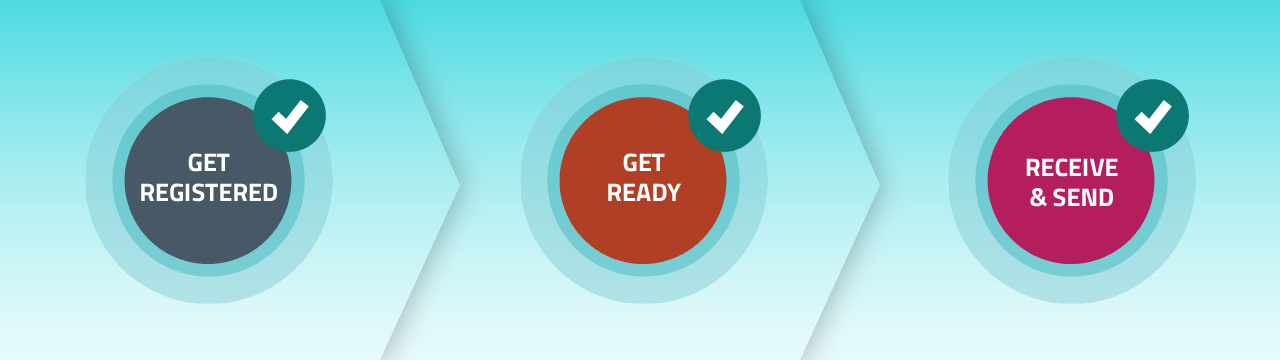
Just a bit of a check list. Hopefully. While we've been watching this webinar you've gone on and registered to receive.
You've opted in to receive your Xero subscription bill, as an eInvoice you've gone and checked that list of registered businesses on the eInvoicing website.
You've updated all your customer records to include their NZBNs.
And then start sending invoices as eInvoices where you can encourage others to send you eInvoices also.
Then just about concludes our webinar, but if you do have any questions please e-mail us at einvoicing.govt.nz and one last slide. I'm going to take you just through a quick tour of our invoicing website for you to see where some of those resources are. Invoicing website einvoicing dot govt dot NZ there's a great resource for small businesses to help them get started with eInvoicing. So I'll take you through a couple of resources and links that we weren't able to share in a recorded video recorded webinar. First of all on the homepage here. If we Scroll down, we have you can download the latest list of businesses who are registered to receive eInvoices. So be able to see if there are any of your trading partners there that you can start exchanging eInvoices with.
Yeah. Most small businesses predominantly use Xero or, MYOB, but there are other software available with eInvoicing capability and you can find that list under the eInvoicing software tab. And there are over 60 eInvoicing capable software products available, so check that list if you're not using MYOB or Xero.
Now if you look in the get set up for invoicing, you'll be able to see that there are specific resources for Xero and MYOB.
Including being able to download a PDF of the instructions on how to get registered set up to send eInvoices and how to receive them. This is a great resource for your accounts people as well as for those who are actually doing the doing, but also to understand your trading partners experience with using Xero and you might be able to help them. So that resources available and there's one similar for MYOB.
Again, under the advice for small and medium businesses, this tab here has more detailed information about get going with eInvoicing including case studies there for those who want to find out how the experience has been for others.
There are also the links here to Xero’s online help and MYOB’s online help, so we've talked through some of that today. But if you want to link to those online resources from Xero and MYOB, you can find them on the eInvoicing website.
So that's just a very quick tour of a couple of things that are in our eInvoicing website. We also, if you want to attend a real webinar, checkout our learning and events part of the website and see if there's any upcoming webinar that you can actually attend and ask some questions.
Thank you. That ends our webinar today. We hope you found it useful and happy eInvoicing.
Andrew Cooke 26:50
Thank you everybody.